Screen, dimming, phone holder and units
RideHero can run dark or light, mount sideways, dim to save battery and move its controls clear of strap mounts - all in Menu > Screen.
Dark, light or auto
Menu > Screen > Appearance:
- DARK (default) - true black, so the pixels switch off.
- LIGHT - reads better in direct sun. Worth a tap on a bright day.
- AUTO - light until sunset, dark until sunrise. Sunrise and sunset come from your position; no signal needed.
Only the buttons and panels change; the map stays the same.
Sideways
In the same place, UPRIGHT is the usual way on the bars. PORT LEFT and PORT RIGHT turn the screen sideways, by which side the charging port is on. Only this setting turns the screen - tilting the phone never does, so a bump can't flip it mid-ride.
Dimming
The backlight is most of the battery. Menu > Screen > Dimming:
- Always on - the screen stays bright.
- Always on, auto-dim - dims 5 minutes after your last touch, moving or not. A touch brings it back.
- Dim when stopped 5 min - dims after five minutes stopped. It never dims while you are moving and wakes the instant you roll - nothing to touch.
A touch always wakes a dimmed screen. It dims but never sleeps, so there is no unlocking in gloves, and recording carries on.
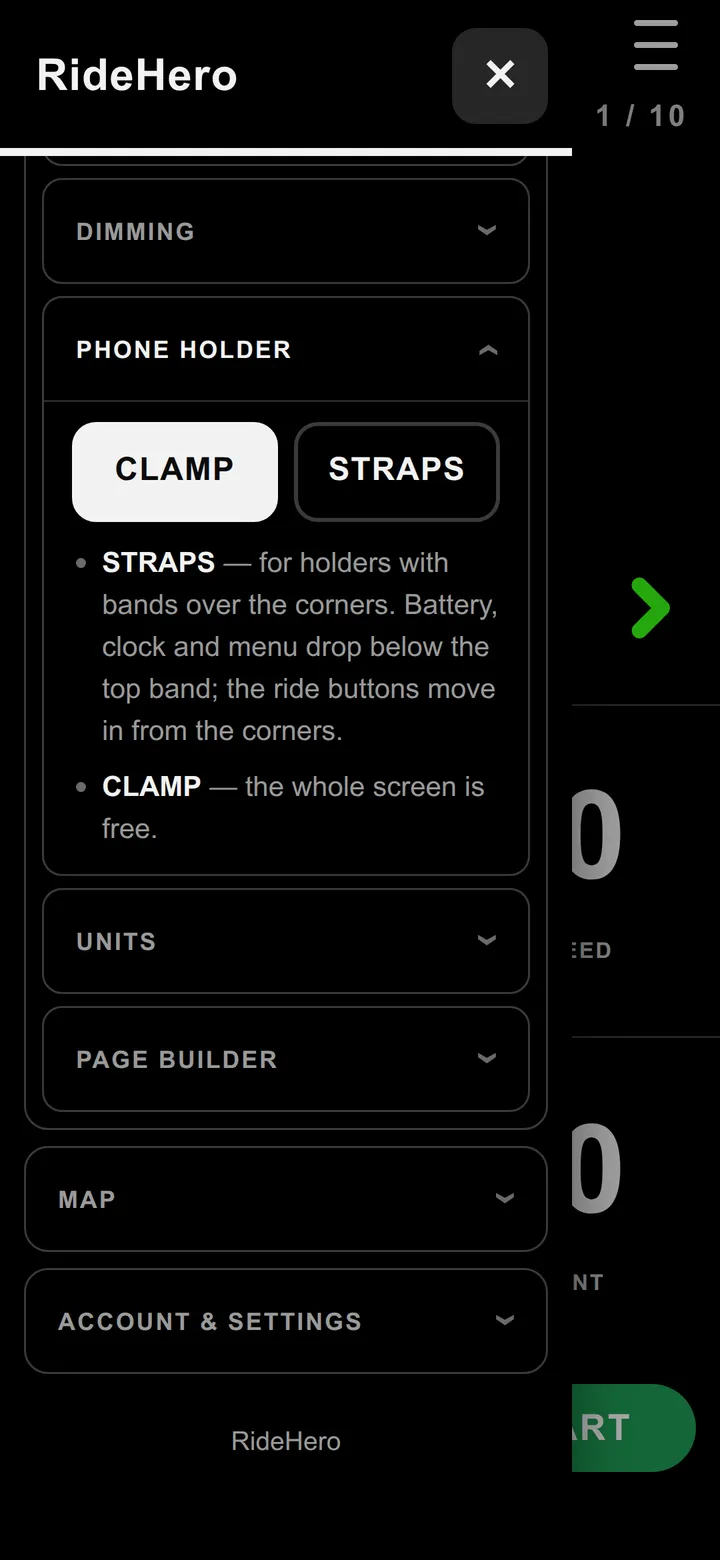
Phone holder
Menu > Screen > Phone holder:
- CLAMP - the whole screen is free.
- STRAPS - for holders with bands over the corners. The battery, clock and menu drop below the top band and the ride buttons move in from the corners.
Gloves
Every ride button works on a hold, not a tap: the bar fills as you hold and a buzz says it took. Let go early to cancel. A bump can't start, pause or end a ride.
Units
Menu > Screen > Units: KM/H or MPH. Distance, climbing (metres or feet) and the map's scale bar follow. It changes what you see, never what is recorded, so switching back loses nothing.
Questions
Can the screen dim to save battery?
Yes. In Menu, Screen, Dimming choose Dim when stopped 5 min - it never dims while you are moving and wakes the instant you roll - or Always on, auto-dim, which dims 5 minutes after your last touch. Recording carries on.
My phone holder has bands over the corners. Will they cover the buttons?
Choose STRAPS in Menu, Screen, Phone holder. The battery, clock and menu drop below the top band and the ride buttons move in from the corners.
Can I mount the phone sideways?
Yes. In Menu, Screen, Appearance choose PORT LEFT or PORT RIGHT, by which side the charging port is on.
Still stuck? Email admin@gotyou.co.za - we read every message.