Maps
RideHero's map pages show where you are, the line you have ridden, and the roads and trails around you. The map streams as you ride, so it needs mobile signal and uses a little data. Settings are in Menu > Map.
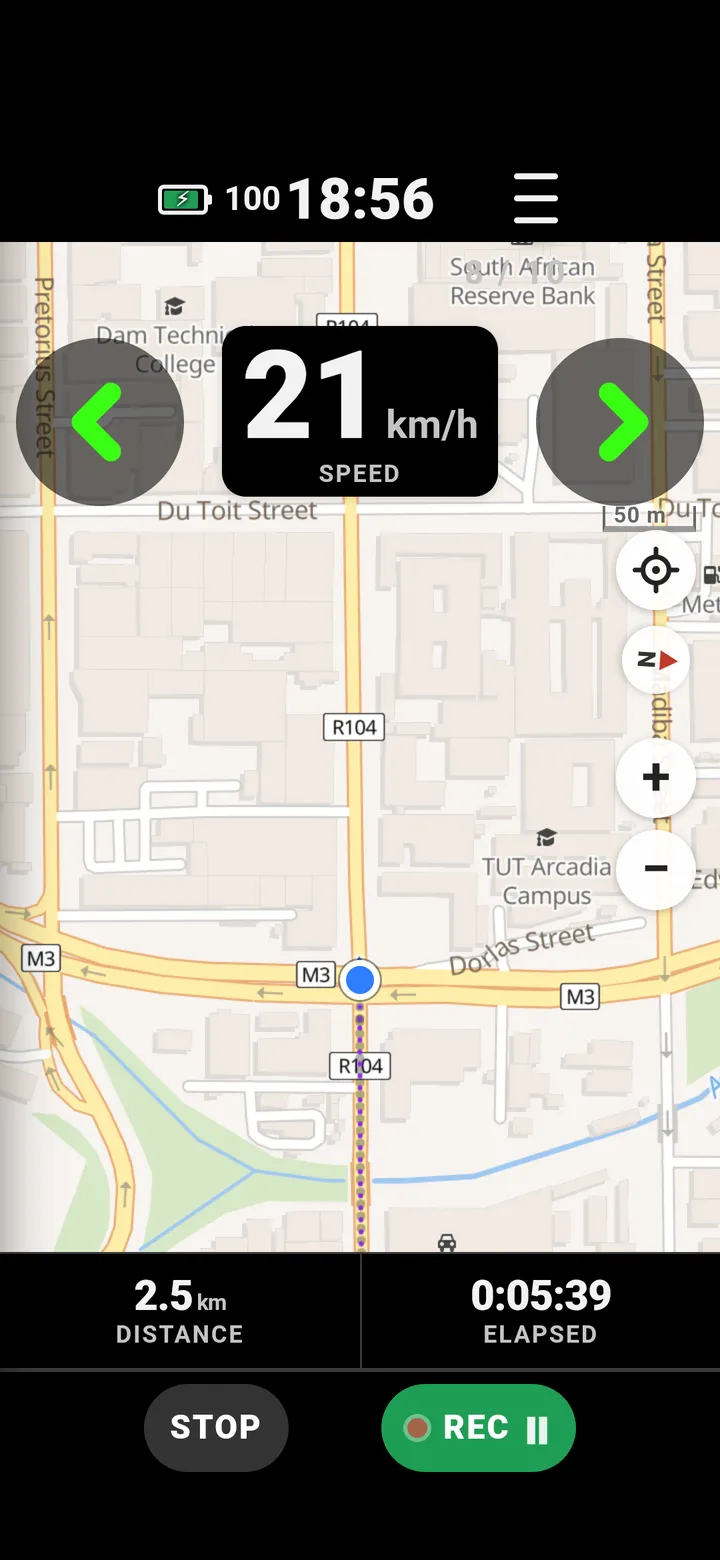
Map style
Menu > Map > Map style: Cycle shows cycle lanes and bike shops, Path shows every trail, plus Standard and OSM Bright. The style you pick is used for your rides, and you can change it any time.
Track up or north up
Menu > Map > Map direction:
- TRACK UP - the way you are heading is up the screen, as car navigation does. You sit low on the screen, so you see the road ahead. Below walking pace the map holds still instead of spinning.
- NORTH UP - north stays up and you stay centred, like a paper map.
Zoom and following
- + / − on the map zoom and keep following you.
- Pinch or drag stops following, so you can look around. Tap the re-centre button to follow again.
- Menu > Map > Map zoom at start sets the zoom the app opens with (13 to 18).
Your track on the map
Menu > Map > Track on the map > SHOW draws the line behind you. It shows if you have done a loop already, and lets you retrace yourself when a path fades out.
To see a line from an earlier ride, use the ghost of a past ride.
Questions
Which map styles does RideHero have?
Cycle (cycle lanes and bike shops), Path (every trail), Standard and OSM Bright. Pick one in Menu, Map, Map style.
Does the map need mobile data?
Yes. The map streams as you ride, so it needs signal and uses a little data. The ride itself records without signal.
Can the map turn with me?
Yes. Track up turns the map so the way you are heading is up the screen. North up keeps north at the top, like a paper map.
Still stuck? Email admin@gotyou.co.za - we read every message.